
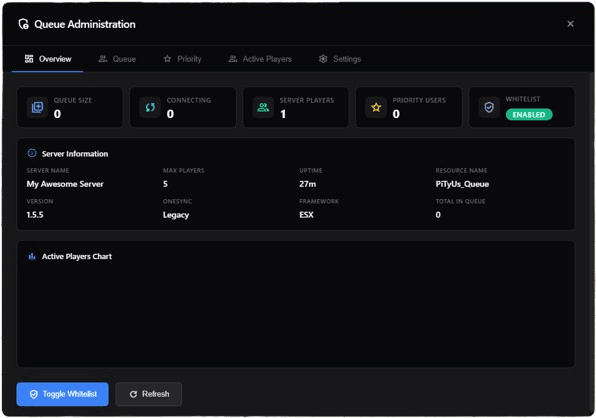
Queue System — Queue Management for FiveM
Queue System is a standalone FiveM connection queue that keeps your server fair and full. Discord role integration grants priority slots to donators and staff, while a clean, fully customizable queue screen tells every player exactly where they stand instead of leaving them staring at a frozen loading bar.
Key features
- Discord role based priority queue for donators and staff
- Fully customizable queue UI and connection messages
- Works standalone — no framework dependency required
- Reserved slots and position tracking in real time
- Lightweight, optimized for high player-count servers
Compatibility & specifications
| Product type | Queue Management |
|---|---|
| Framework | Standalone · ESX · QBCore |
| Platform | FiveM · GTA V · cfx.re |
| Category | FiveM Scripts |
| Delivery | Instant, automated via Tebex |
| Updates | Lifetime, free |
| Support | Discord community support |
| Licence | One-time purchase |
Full description
🏆 Priority Queue System Point-based priority ranking pulled from Discord roles, database-stored priorities, grace periods, and session saving. VIP and staff players always join faster — fully configurable priority tiers with multiple sources supported simultaneously. | 💻 Web-Based Admin Panel Full web-based admin panel featuring live queue monitoring, real-time player management, server statistics, and the ability to manage the queue without any in-game access. Accessible from any browser. |
🧾 Discord Integration Automatically sync Discord roles to queue priority levels. Whitelist, ban, and kick players directly from Discord without touching the server console. Role changes apply instantly to the queue. | 🌟 Custom Loading Screen Fully configurable NUI loading screen displaying live queue position, estimated wait time, your server logo, and custom branding. First impressions matter — make them count with a professional experience. |
🔧 Easy Configuration Straightforward config file — set up queue slots, priority levels, Discord bot tokens, and webhooks in minutes. No complex setup process, no hidden options, no third-party dashboard subscriptions. | 📌 Slot Management Reserve dedicated connection slots for staff and priority players that are always available. Set configurable max player count and queue cap per server — full control over your server's capacity and load. |
Frequently asked questions about Queue System
Which frameworks does Queue System support?
Queue System is built and tested for Standalone, ESX, QBCore. Compatibility is listed on this page, and our Discord support can confirm anything specific to your server setup before you buy.
How do I receive Queue System after purchase?
Delivery is instant. Checkout is handled securely by Tebex and your resource is unlocked the moment the payment is confirmed — no waiting, no manual steps.
Do I get updates and support for Queue System?
Yes. Every purchase includes lifetime updates and active support through our Discord community, so the script keeps working as FiveM and your framework evolve.
Will Queue System affect my server performance?
No. Every resource is profiled before release and optimized for low resmon usage, so it stays smooth even on high player-count roleplay servers.
People also search for
More FiveM Scripts scripts like Queue System
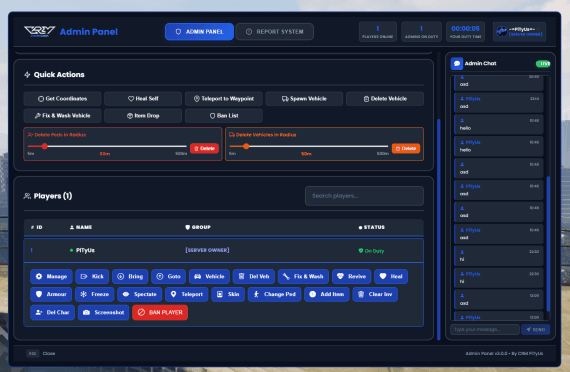
AdminSystem
🛡 Admin SystemESX LegacyAdmin SystemThe ultimate FiveM administration panel for ESX — featurin…
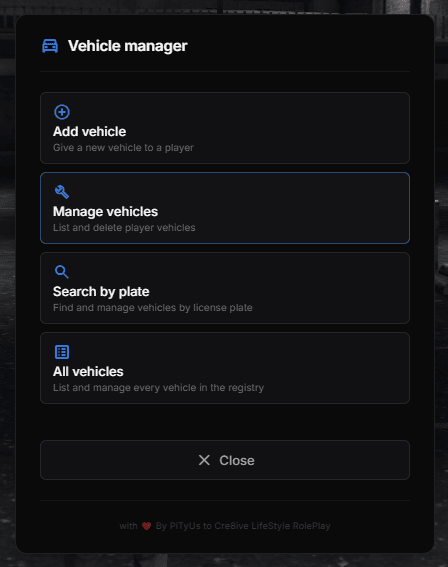
VehicleManager
🛠 Admin ToolESX LegacyVehicleManagerA secure, server-side admin tool for managing your server'…

PiTyUs Garage
🚗 Garage SystemESX LegacyPiTyUs GarageA clean, professional and feature-rich garage system bui…
Complete your FiveM server
Pair Queue System with a custom FiveM minimap, your own weapon skins and a branded FiveM loading screen — all three are built and maintained by PiTyUs and export drop-in FiveM resources for ESX, QBCore, Qbox and standalone servers.